
Creating a mobile game can take a lot of time, especially when you have to manage game logic, UI, levels, sounds, ads, and Play Store setup.
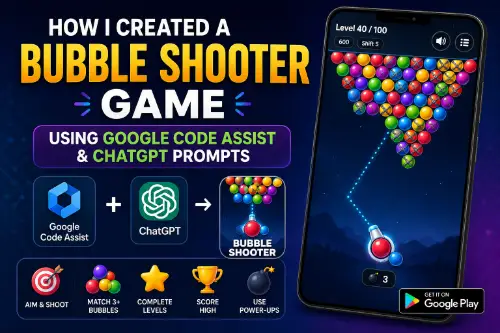
Recently, I created my own Bubble Shooter game for Android with the help of Google Code Assist and prompts prepared through ChatGPT.
You can try the game here:
https://play.google.com/store/apps/details?id=com.mtkits.bubbleshooter
The Idea
The goal was to create a simple and fun bubble shooter game where users can aim, shoot, match colors, clear bubbles, and complete levels.
Instead of writing everything from scratch manually, I used AI tools to speed up the development process.
How ChatGPT Helped
I used ChatGPT to create clear prompts for different parts of the game, such as:
- Bubble shooter game logic
- Android native game structure
- Aim line and bounce direction
- Bubble colors and UI design
- Score and level system
- Bomb feature
- Play Store setup and policy questions
The biggest help was that ChatGPT converted my rough ideas into proper technical prompts.
How Google Code Assist Helped
After preparing the prompts, I used Google Code Assist to generate and improve the code.
It helped me build the main features like:
- Drawing bubbles
- Shooting logic
- Collision detection
- Matching same-color bubbles
- Removing bubbles
- Score updates
- Level progress
- UI improvements
The first version was not perfect, but after a few prompt improvements, the game became much better.
No Image Assets Needed
One good thing about this game is that most of the bubbles are created using code, not separate image files.
The game draws colorful bubbles directly using Android drawing logic. This helps keep the app lightweight and easier to update.
What I Learned
The main lesson is that AI works better when your prompt is clear.
A small prompt like:
“Create a bubble shooter game”
is not enough.
But a detailed prompt like:
“Create a native Android bubble shooter game with aiming line, bounce reflection, colorful bubbles, score system, level system, and smooth UI”
gives much better results.
Final Thoughts
This project showed me how useful AI tools can be for developers.
ChatGPT helped me prepare better prompts, and Google Code Assist helped me turn those prompts into working code.
AI does not replace developers, but it can save time and help build faster.
My Bubble Shooter game is now live on Google Play:
https://play.google.com/store/apps/details?id=com.mtkits.bubbleshooter